
-
PikanavigaatioAjankohtaista io-tech.fi uutiset Uutisia lyhyesti Muu uutiskeskustelu io-tech.fi artikkelit io-techin Youtube-videot Palaute, tiedotukset ja arvonnat
Tietotekniikka Prosessorit, ylikellotus, emolevyt ja muistit Näytönohjaimet Tallennus Kotelot ja virtalähteet Jäähdytys Konepaketit Kannettavat tietokoneet Buildit, setupit, kotelomodifikaatiot & DIY Oheislaitteet ja muut PC-komponentit
Tekniikkakeskustelut Ongelmat Yleinen rautakeskustelu Älypuhelimet, tabletit, älykellot ja muu mobiili Viihde-elektroniikka, audio ja kamerat Elektroniikka, rakentelu ja muut DIY-projektit Internet, tietoliikenne ja tietoturva Käyttäjien omat tuotetestit
Softakeskustelut Pelit, PC-pelaaminen ja pelikonsolit Ohjelmointi, pelikehitys ja muu sovelluskehitys Yleinen ohjelmistokeskustelu Testiohjelmat ja -tulokset
Muut keskustelut Autot ja liikenne Urheilu TV- & nettisarjat, elokuvat ja musiikki Ruoka & juoma Koti ja asuminen Yleistä keskustelua Politiikka ja yhteiskunta Hyvät tarjoukset Tekniikkatarjoukset Pelitarjoukset Ruoka- ja taloustarviketarjoukset Muut tarjoukset
Kauppa-alue
Navigation
Install the app
How to install the app on iOS
Follow along with the video below to see how to install our site as a web app on your home screen.
Huomio: This feature may not be available in some browsers.
Lisää vaihtoehtoja
Tyylin valinta
You are using an out of date browser. It may not display this or other websites correctly.
You should upgrade or use an alternative browser.
You should upgrade or use an alternative browser.
Yleinen TV:n hankinta- & säätöketju

- Liittynyt
- 26.10.2019
- Viestejä
- 218
Odottaisin. vaihtoehtoisesti täältä halvempi hinta Kodinkoneet ja elektroniikka halvemmalla - BIGBOX.FIEtsinnässä max 800e 65' telkkari. Tässä nyt aikani tutkiskellen TCL C6K saattaisi olla tolla rahalla parasta mitä saa. Esim Verkkiksessä ja Gigantissa nyt 799e. Onko ehdottaa muuta vaihtoehtoa vai tälläkö mennään?
Tosiaan muissa maissa toi töllö on usein tarjolla ~600 hintaan. Loistovalinta jos siihen hintaan saisi.
Jotain viitteitä tulevaan isompaan alekampanjaan jos jaksaa venata. Esim oman töllön hinta gigantissa triplaantunut vaikka eräkoko näyttää 100+
Viimeksi muokattu:
osta se parempi 8 sarja. kestää sen 8 vuotta kuitenkin niin olet säästämässä väärästä päästäEtsinnässä max 800e 65' telkkari. Tässä nyt aikani tutkiskellen TCL C6K saattaisi olla tolla rahalla parasta mitä saa. Esim Verkkiksessä ja Gigantissa nyt 799e. Onko ehdottaa muuta vaihtoehtoa vai tälläkö mennään?

- Liittynyt
- 17.10.2016
- Viestejä
- 3 828
Kaaleppi sai jo CES:ssä julkaistun TCL X11L, tämä toki vasta unboxaus. Varsinainen revikka tulee myöhemmin.
X11L-sarja on siis miniledi jossa 20 000 dimming zonea ja tämänhän pitäisi pystyä jopa 10 000 nittiin. Ja hintaakin toki sen mukaisesti.
Linkki: https://www.youtube.com/watch?v=8HGl5tFUR-g
X11L-sarja on siis miniledi jossa 20 000 dimming zonea ja tämänhän pitäisi pystyä jopa 10 000 nittiin. Ja hintaakin toki sen mukaisesti.
Linkki: https://www.youtube.com/watch?v=8HGl5tFUR-g
Kaaleppi sai jo CES:ssä julkaistun TCL X11L, tämä toki vasta unboxaus. Varsinainen revikka tulee myöhemmin.
X11L-sarja on siis miniledi jossa 20 000 dimming zonea ja tämänhän pitäisi pystyä jopa 10 000 nittiin. Ja hintaakin toki sen mukaisesti.
Linkki: https://www.youtube.com/watch?v=8HGl5tFUR-g
Saa olla jo tehokkaat ledit, että 100 tuuman ruudun täydeltä sen saa valaistua 10 tuhannen nittin kirkkauteen. Riittääkö kilowatin teho leveille?
- Liittynyt
- 17.10.2016
- Viestejä
- 3 828
TV-valmistajat vissiin yleensä ilmoittaa tuon kirkkauden 2% ikkunalla. 98" televisiossa se tarkoittaa 551,5 cm2 ikkunan kokoa eli noin 23,48 x 23,48 cm aluettaSaa olla jo tehokkaat ledit, että 100 tuuman ruudun täydeltä sen saa valaistua 10 tuhannen nittin kirkkauteen. Riittääkö kilowatin teho leveille?
Jahas, nyt tuli sitten se pieni pakko eteen: Vanha erittäin hyvin palvellut Sony KDL-55W905A (tehty 2013) antautui lopulta. Kun laittaa TV:n päälle niin kuva näkyy noin 5 sekuntia jonka jälkeen kuuluu napsahdus ja tv menee mustaksi ja virtavalo alkaa vilkua 4 sarjoissa. Koitin googlailla että onko vielä elvytys keinoa, mutta ei johtojen irroittelut ja television napista suoraan herättelyt jne tee mitään vaikutusta joten pakko kai se on uskoa. Voihan sitä vielä huomenna yrittää soittaa huoltoon ja kysyä että voisiko olla joku pieni mahdollisuus halpaan korjaukseen mutta tuskin.
Siispä, tarkoituksen ostaa joku hätä apu televisio hetkeksi. Tämän voi sitten siirtää teineille kun saa oikean television ostettua jostain sopivasta tarjouksesta.
Eli mikäs olisi parasta laatua rahalle ehkä 400€ budjetilla ja 40-50" kokoisena? Ei etsitä parasta kuvaa eikä parhaita ominaisuuksia, muta käyttö saisi olla kohtuu sujuvaa. Ja kirkkautta mielellään enemmän kuin vähemmän.
Tiedän että ei osu foorumin varsinaiseen fokukseen, mutta jos jollain olisi hyviä omakohtaisia kokemuksia jostain kriteereihin osuvasta töllöstä niin voisi huomenna marssia kohtuu turvallisin mielin johonkin Raision keskittymän liikeistä ja hakea hetken helpotusta.
Siispä, tarkoituksen ostaa joku hätä apu televisio hetkeksi. Tämän voi sitten siirtää teineille kun saa oikean television ostettua jostain sopivasta tarjouksesta.
Eli mikäs olisi parasta laatua rahalle ehkä 400€ budjetilla ja 40-50" kokoisena? Ei etsitä parasta kuvaa eikä parhaita ominaisuuksia, muta käyttö saisi olla kohtuu sujuvaa. Ja kirkkautta mielellään enemmän kuin vähemmän.
Tiedän että ei osu foorumin varsinaiseen fokukseen, mutta jos jollain olisi hyviä omakohtaisia kokemuksia jostain kriteereihin osuvasta töllöstä niin voisi huomenna marssia kohtuu turvallisin mielin johonkin Raision keskittymän liikeistä ja hakea hetken helpotusta.

- Liittynyt
- 17.10.2016
- Viestejä
- 6 722
Jos vain jotain tarvitsee saada, niin tässä olisi yksi budjettivaihtoehtoJahas, nyt tuli sitten se pieni pakko eteen: Vanha erittäin hyvin palvellut Sony KDL-55W905A (tehty 2013) antautui lopulta. Kun laittaa TV:n päälle niin kuva näkyy noin 5 sekuntia jonka jälkeen kuuluu napsahdus ja tv menee mustaksi ja virtavalo alkaa vilkua 4 sarjoissa. Koitin googlailla että onko vielä elvytys keinoa, mutta ei johtojen irroittelut ja television napista suoraan herättelyt jne tee mitään vaikutusta joten pakko kai se on uskoa. Voihan sitä vielä huomenna yrittää soittaa huoltoon ja kysyä että voisiko olla joku pieni mahdollisuus halpaan korjaukseen mutta tuskin.
Siispä, tarkoituksen ostaa joku hätä apu televisio hetkeksi. Tämän voi sitten siirtää teineille kun saa oikean television ostettua jostain sopivasta tarjouksesta.
Eli mikäs olisi parasta laatua rahalle ehkä 400€ budjetilla ja 40-50" kokoisena? Ei etsitä parasta kuvaa eikä parhaita ominaisuuksia, muta käyttö saisi olla kohtuu sujuvaa. Ja kirkkautta mielellään enemmän kuin vähemmän.
Tiedän että ei osu foorumin varsinaiseen fokukseen, mutta jos jollain olisi hyviä omakohtaisia kokemuksia jostain kriteereihin osuvasta töllöstä niin voisi huomenna marssia kohtuu turvallisin mielin johonkin Raision keskittymän liikeistä ja hakea hetken helpotusta.
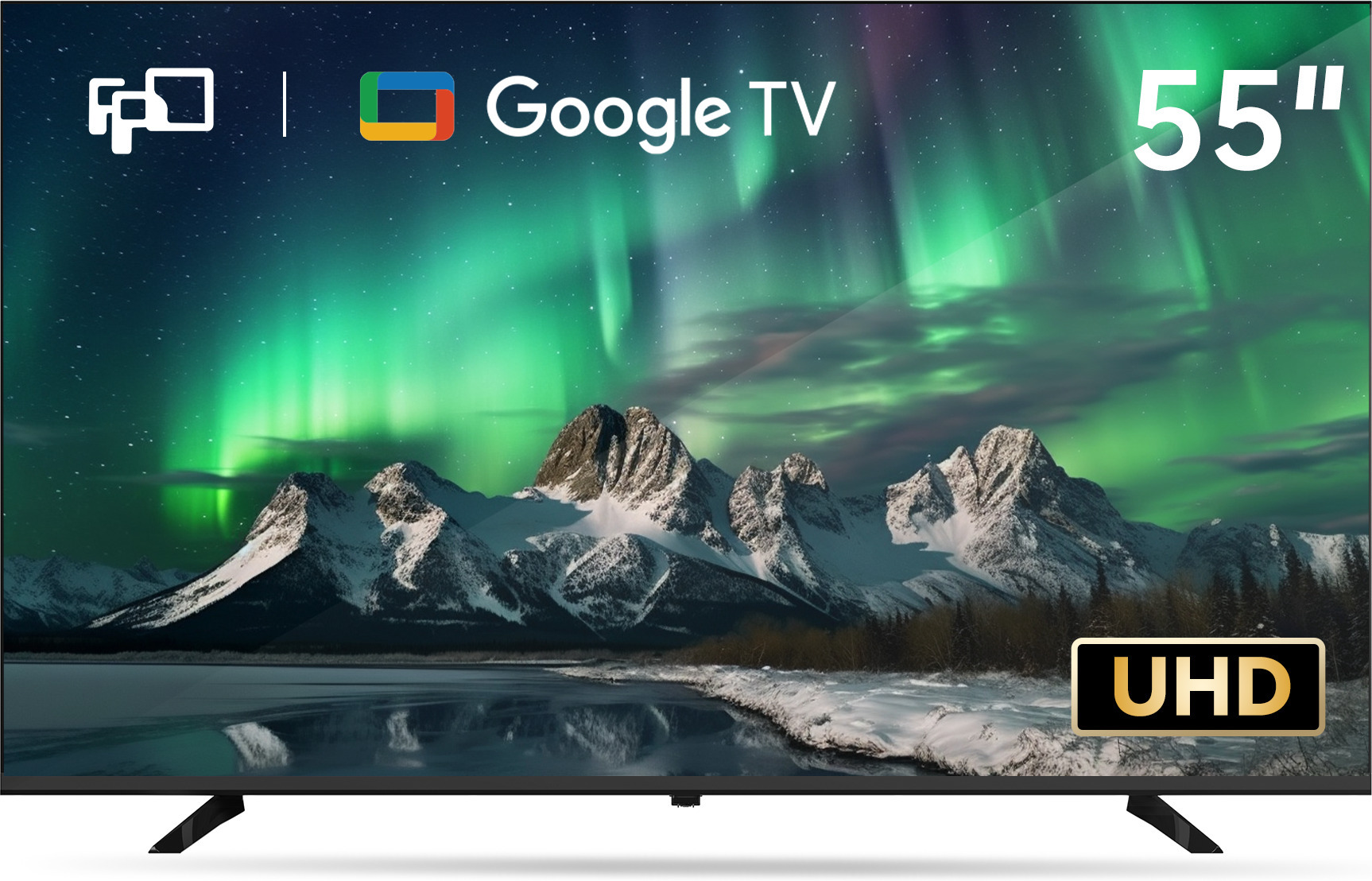
FPD 55" G900 – 4K LED Google TV 299,00
Koe viihteen uusi ulottuvuus 55 tuuman FPD G900 4K LED Google TV:llä, jossa on Chromecast ja Google Assistant.
55" koska halvempi kuin 50" versio. Tosin jos nyt sattuisikin haluamaan sittenkin suoraan sen lopullisen television, niin tässä jotain suosituksia:
55" S90F 999€ (WOLED) - Samsung 55" S90F – 4K OLED TV 999,00
55" C5 949€ (WOLED) - LG OLED55C51LA 55" 4K OLED webOS TV, 144 Hz, Dolby Vision
65" S90F 1249€ (QD-OLED) - Samsung S90F 65" 4K OLED Tizen TV, 144 Hz, HDR10+
Kiitos jo tästä.Jos vain jotain tarvitsee saada, niin tässä olisi yksi budjettivaihtoehto
FPD 55" G900 – 4K LED Google TV 299,00
Koe viihteen uusi ulottuvuus 55 tuuman FPD G900 4K LED Google TV:llä, jossa on Chromecast ja Google Assistant.www.verkkokauppa.com
55" koska halvempi kuin 50" versio. Tosin jos nyt sattuisikin haluamaan sittenkin suoraan sen lopullisen television, niin tässä jotain suosituksia:
55" S90F 999€ (WOLED) - Samsung 55" S90F – 4K OLED TV 999,00
55" C5 949€ (WOLED) - LG OLED55C51LA 55" 4K OLED webOS TV, 144 Hz, Dolby Vision
65" S90F 1249€ (QD-OLED) - Samsung S90F 65" 4K OLED Tizen TV, 144 Hz, HDR10+
Lopullinen on sitten 75" tai 77" OLED tai Miniled, joten jos sellaisesta löytyy hyviä tarjouksia niin kyllä sellainenkin käy. Olin vain (ilman mitään selvitystä) siinä oletuksessa että nyt ei ole oikein hyviä tarjouksia menossa.
Viimeksi muokattu:
- Liittynyt
- 17.10.2016
- Viestejä
- 6 722
Jatkuvasti aina jotain tarjouksia pyörii, esim. nämä on nyt halvimmillaan:Kiitos jo tästä.
Lopullinen on sitten 75" tai 77" OLED tai Miniled, joten jos sellaisestä löytyy hyviä tarjouksia niin kyllä sellainenkin käy. Olin vain (ilman mitään selvitystä) siinä oletuksessa että nyt ei ole oikein hyviä tarjouksia menossa.
C8K 1699€ - TCL 75" C8K – 4K QD Mini-LED Google TV 1 699,00
S85F 1799€ - Samsung 77" S85F – 4K OLED TV 1 799,00
S90F 1999€ - Samsung 77" S90F – 4K OLED TV 1 999,00
S90F säästää satasen, jos olisi valmis Bigboxista tilaamaan. Toki keväällä/kesällä kun viimeisiä 2025 malleja poistetaan varastoista voi saada parhaat diilit, mutta riski myös missata ne, jos odottaa liian pitkään.
Edit: Lisätään nyt listalle vielä tuo auringon lailla porottava C9K (2299€), kun ei ole tiedossa onko hinta vai kirkkaus tärkeämpi kriteeri TCL 75" C9K – 4K QD Mini-LED Google TV 2 299,00
Viimeksi muokattu:
Jahas, nyt tuli sitten se pieni pakko eteen: Vanha erittäin hyvin palvellut Sony KDL-55W905A (tehty 2013) antautui lopulta. Kun laittaa TV:n päälle niin kuva näkyy noin 5 sekuntia jonka jälkeen kuuluu napsahdus ja tv menee mustaksi ja virtavalo alkaa vilkua 4 sarjoissa. Koitin googlailla että onko vielä elvytys keinoa, mutta ei johtojen irroittelut ja television napista suoraan herättelyt jne tee mitään vaikutusta joten pakko kai se on uskoa. Voihan sitä vielä huomenna yrittää soittaa huoltoon ja kysyä että voisiko olla joku pieni mahdollisuus halpaan korjaukseen mutta tuskin.
Siispä, tarkoituksen ostaa joku hätä apu televisio hetkeksi. Tämän voi sitten siirtää teineille kun saa oikean television ostettua jostain sopivasta tarjouksesta.
Eli mikäs olisi parasta laatua rahalle ehkä 400€ budjetilla ja 40-50" kokoisena? Ei etsitä parasta kuvaa eikä parhaita ominaisuuksia, muta käyttö saisi olla kohtuu sujuvaa. Ja kirkkautta mielellään enemmän kuin vähemmän.
Joskus Powerin Outletista löytänyt hyvällä hintalaatusuhteella jotain Hisensen tai Philipsin telkkaria.

Outlet-tuote - Power.fi
60 päivän palautusoikeus. Hintarobotti vertaa hintoja 24/7. Sama halpa hinta myymälässä ja netissä. Maksa osissa. Varaa netistä nouda myymälästä.
 www.power.fi
Harmillisesti tuolla loppui just 20 prosentin lisäale.
- Liittynyt
- 17.10.2016
- Viestejä
- 6 722
1.2. asti tuo 20% lisäale kampanja, kuten etusivun linkin kautta kerrotaan.Joskus Powerin Outletista löytänyt hyvällä hintalaatusuhteella jotain Hisensen tai Philipsin telkkaria.
Outlet-tuote - Power.fi
60 päivän palautusoikeus. Hintarobotti vertaa hintoja 24/7. Sama halpa hinta myymälässä ja netissä. Maksa osissa. Varaa netistä nouda myymälästä.
Harmillisesti tuolla loppui just 20 prosentin lisäale.
Kyllähän tuo C8K vaikuttaa varsin hyvältä valinnalta tällaiseen lapiperheen arkeen jossa pimeässä elokuvien katsominen rauhassa on todella harvinaista. Hintakin näyttää olevan halvimmillaan ikinä joten pitänee käydä se Verkkiksestä tilaamassa. Toimitusaika näyttää olevan hieman arvailussa, joten pitää samaan syssyyn koittaa neuvotella kimppadiili tuollaisesta 55" televisiosta ja ehkäpä myös jostain halvasta soundbarista.Jatkuvasti aina jotain tarjouksia pyörii, esim. nämä on nyt halvimmillaan:
C8K 1699€ - TCL 75" C8K – 4K QD Mini-LED Google TV 1 699,00
S85F 1799€ - Samsung 77" S85F – 4K OLED TV 1 799,00
S90F 1999€ - Samsung 77" S90F – 4K OLED TV 1 999,00
S90F säästää satasen, jos olisi valmis Bigboxista tilaamaan. Toki keväällä/kesällä kun viimeisiä 2025 malleja poistetaan varastoista voi saada parhaat diilit, mutta riski myös missata ne, jos odottaa liian pitkään.
Edit: Lisätään nyt listalle vielä tuo auringon lailla porottava C9K (2299€), kun ei ole tiedossa onko hinta vai kirkkaus tärkeämpi kriteeri TCL 75" C9K – 4K QD Mini-LED Google TV 2 299,00
Powerin outlettiakin koitin selailla, mutta se on ilmeisesti sitten ihan tuurista kiinni että osuuko paikalle silloin kun siellä on jotain kiinnostavaa, koska nyt näytti että tilaamaan ei ainakaan pystynyt mitään televisio tarjonnasta.
Kiitos kovasti ohjauksesta!
TCL oli vuoteen 2023 TCL:n tuotemerkki. Streamview puolestaan kokosi televisioita Nokia-merkillä Unkarin tehtaallaan. Komponentit lienevät oleet kiinalaisilta alihankkijoilta. Taitaa Nokia -nimi olla nyt vaihtunut Thomsoniksi. Eli ainakin pari vuotta sitten Thomson oli TCL:n alibrändi.Thomson nimisten televisioiden myyntioikeuden omistaa Itävaltalainen StreamView GmbH. Televisiot valmistaa luultavasti joku OEM valmistaja,itse veikkaisin Hisenseä.Toki TCL:llä voi olla myös OEM valmistusta.
EDIT: TCL on vissiin ainakin joskus 2000-luvun alkupuolella valmistanut Thomson televisiot. Veikkaan, uuden tiedon valossa, että aika samaa kampetta kuin iFFalcon, joten valmistaja siis TCL.
Taitaa kyllä olla toisinpäin, miksi maksaa nyt TV-stä jonka ominaisuudet vanhentuvat hyvinkin nopeasti, minkään laitteen kestoa kukaan ei voi ennustaa.osta se parempi 8 sarja. kestää sen 8 vuotta kuitenkin niin olet säästämässä väärästä päästä
Hyvän telkkarin ominaisuudet ei vanhene nopeasti ja huonossa niitä ei edes ole tai sitten vanhenevat softiltaan. Hyvät saa päivityksiäkin pitkään.Taitaa kyllä olla toisinpäin, miksi maksaa nyt TV-stä jonka ominaisuudet vanhentuvat hyvinkin nopeasti, minkään laitteen kestoa kukaan ei voi ennustaa.
- Liittynyt
- 30.01.2026
- Viestejä
- 5
Arvon TV-tietäjät. On aika päivittää 7v vanha Philipsin TV (edullinen 49” tuumainen) uuteen. Vaan vaihtoehtojen määrä on päätä huimaava ja monta työpäivää saisi eri vaihtoehtojen vertailuun kulumaan. Kertokaapa mikä paras hinta/laatu-suhde alle tonnin luokassa jos 65-75” TV haussa. Pääasiassa TV-ohjelmia valoisassa olohuoneessa, joskus joku leffa tai PS5 pelailua, nämä kuitenkin harvinaisempia. Sporttia satunnaisesti. Google TV:tä en enää halua. Soundbar on jo omasta takaa.
Kiitän vastauksista etukäteen!
Kiitän vastauksista etukäteen!
- Liittynyt
- 17.10.2016
- Viestejä
- 6 722
Jos budjetti on tiukka 1000€, niin ehkäpä TCL C7K. On toki GoogleTV, mutta sitähän pidetään paremman pään TV käyttiksenä, että ehkä vain vanhassa Philipsissäsi on vanhentunut AndroidTV?Arvon TV-tietäjät. On aika päivittää 7v vanha Philipsin TV (edullinen 49” tuumainen) uuteen. Vaan vaihtoehtojen määrä on päätä huimaava ja monta työpäivää saisi eri vaihtoehtojen vertailuun kulumaan. Kertokaapa mikä paras hinta/laatu-suhde alle tonnin luokassa jos 65-75” TV haussa. Pääasiassa TV-ohjelmia valoisassa olohuoneessa, joskus joku leffa tai PS5 pelailua, nämä kuitenkin harvinaisempia. Sporttia satunnaisesti. Google TV:tä en enää halua. Soundbar on jo omasta takaa.
Kiitän vastauksista etukäteen!
Komponenttikaupan tekstit hieman hämäävät, kun lukee 55", mutta 65" valinnalla yksi kappale jäljellä
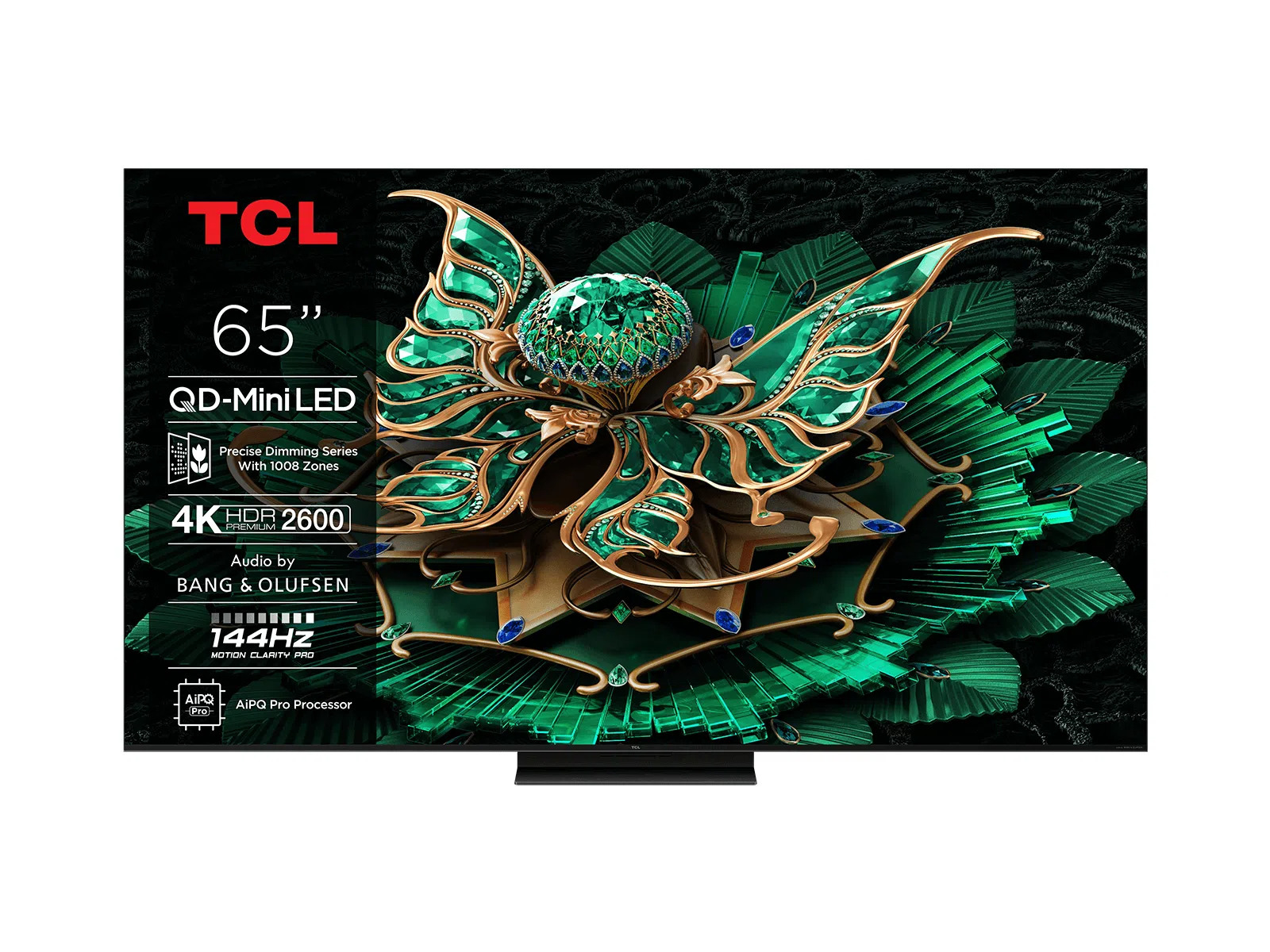
TCL 65" C7K – 4K QD Mini-LED Google TV 1 199,00
TCL C7K -televisiossa on 4K QD Mini-LED -näyttö, joka takaa kirkkaan ja tarkan kuvan 2600 cd/m² kirkkaudella sekä Dolby Vision IQ ja HDR10+ -tuen. Google TV 12.0 -käyttöjärjestelmä sisältää Chromecastin, Apple AirPlay 2:n ja suosittuja suoratoistopalveluja, ja ääni toistuu Dolby Atmos -tekniikalla.
Jos budjetti hieman venyy, niin tarjolla olisi QD-OLED 1250€
Samsung S90F 65" 4K OLED Tizen TV, 144 Hz, HDR10+
Tämä 65-tuumainen televisio perustuu OLED-paneeliteknologiaan, jossa jokainen pikseli tuottaa oman valonsa, mikä mahdollistaa tarkan kontrastin ja syvät mustan sävyt. Suorituskyvystä vastaa NQ4 AI Gen3 -prosessori, joka käyttää tekoälypohjaista 4K-skaalausta kuvanlaadun parantamiseen. Laite tukee O…
 www.multitronic.fi
- Liittynyt
- 30.01.2026
- Viestejä
- 5
Vaan mikä mielipide tästä?: Samsung 65" Q80D – 4K QLED TV 799,00Jos budjetti on tiukka 1000€, niin ehkäpä TCL C7K. On toki GoogleTV, mutta sitähän pidetään paremman pään TV käyttiksenä, että ehkä vain vanhassa Philipsissäsi on vanhentunut AndroidTV?
Komponenttikaupan tekstit hieman hämäävät, kun lukee 55", mutta 65" valinnalla yksi kappale jäljellä
TCL 65" C7K – 4K QD Mini-LED Google TV 1 199,00
TCL C7K -televisiossa on 4K QD Mini-LED -näyttö, joka takaa kirkkaan ja tarkan kuvan 2600 cd/m² kirkkaudella sekä Dolby Vision IQ ja HDR10+ -tuen. Google TV 12.0 -käyttöjärjestelmä sisältää Chromecastin, Apple AirPlay 2:n ja suosittuja suoratoistopalveluja, ja ääni toistuu Dolby Atmos -tekniikalla.
Jos budjetti hieman venyy, niin tarjolla olisi QD-OLED 1250€
Samsung S90F 65" 4K OLED Tizen TV, 144 Hz, HDR10+
Tämä 65-tuumainen televisio perustuu OLED-paneeliteknologiaan, jossa jokainen pikseli tuottaa oman valonsa, mikä mahdollistaa tarkan kontrastin ja syvät mustan sävyt. Suorituskyvystä vastaa NQ4 AI Gen3 -prosessori, joka käyttää tekoälypohjaista 4K-skaalausta kuvanlaadun parantamiseen. Laite tukee O…
- Liittynyt
- 17.10.2016
- Viestejä
- 6 722
Q80D on 2024 vuosimallia ja FALD, Q85(D/F) olisi sitten mini-LED, mutta ei taida pärjätä C7K:lle edes sekään.Vaan mikä mielipide tästä?: Samsung 65" Q80D – 4K QLED TV 799,00
Eli Samsungissa maksaa brändilisää, LCD valmistuksenhan he aikoinaan jo TCL:lle möivät. Samsung OLED taas sitten on kilpailukykyistä.
- Liittynyt
- 30.01.2026
- Viestejä
- 5
Sitten vielä viimeinen kysymys kun gigantissa pyörähdin, onko tämä sama kun tuo verkkiksen tuote? Jos ei niin onko parempi hinta/laatusuhde kummassa: TCL 65" MQLED75K 4K MINI-LED TV (2025)Q80D on 2024 vuosimallia ja FALD, Q85(D/F) olisi sitten mini-LED, mutta ei taida pärjätä C7K:lle edes sekään.
Eli Samsungissa maksaa brändilisää, LCD valmistuksenhan he aikoinaan jo TCL:lle möivät. Samsung OLED taas sitten on kilpailukykyistä.
- Liittynyt
- 17.10.2016
- Viestejä
- 6 722
MQLED75K = C6KSitten vielä viimeinen kysymys kun gigantissa pyörähdin, onko tämä sama kun tuo verkkiksen tuote? Jos ei niin onko parempi hinta/laatusuhde kummassa: TCL 65" MQLED75K 4K MINI-LED TV (2025)
MQLED85K = C7K

TCL 2025 TV line-up (with TV compare tool)
More miniLED zones, new WHVA panel, Filmmaker Mode etc.
 www.flatpanelshd.com
Lähinnä siis huomattavastikin enemmän dimming-zoneja saa lisärahalla.
Jos mahdollista jossain saada itse vertailtua etenkin melko tummalla kuvalla, että onko pahaa bloomingia halvemmalla, niin toki paras.

- Liittynyt
- 17.10.2016
- Viestejä
- 1 443
65" 4K 120MHz tv on haussa ja todennäköisesti LG:ltä tai Samsungilta, joiden mainospalvelimet voi blokata reitittimeltä. Vaan oled vai led? Onko OLED 500€ lisähinnan arvoinen, jos ei ole kultasilmäinen visuaalisen viihteen connaisseur? Onko OLED:n ostanutta kaduttanut rahan tuhlaus tai onko kaduttanut kun on tullut tingittyä paneelissa?
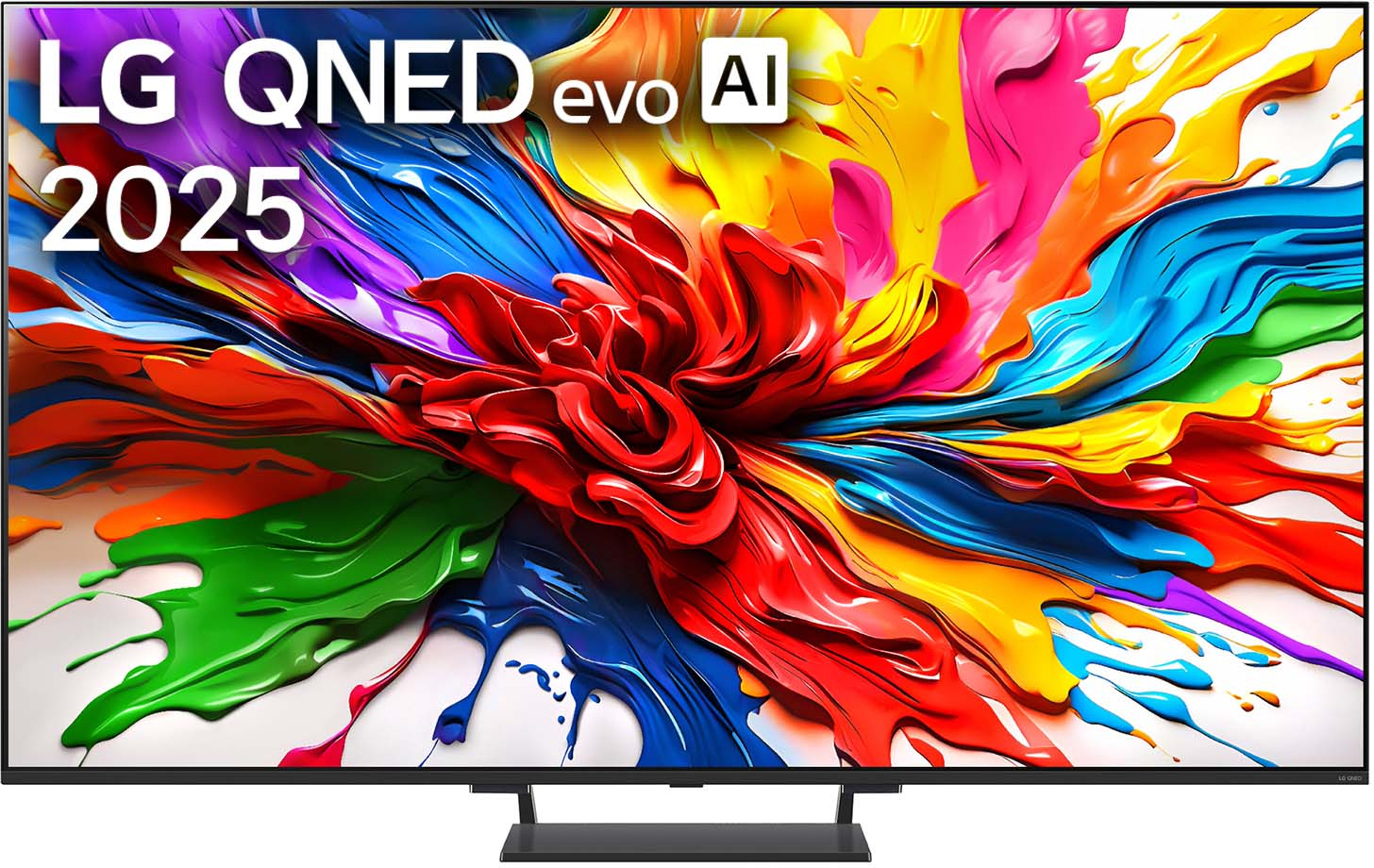
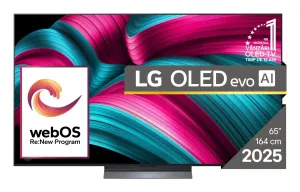
Esim. Tässä LG 65 QNED 93 Mini LED 900€ vs LG evo C5 OLED 1400€.
 www.verkkokauppa.com
 www.multitronic.fi
Edit: siis Hz, ei MHz.
Esim. Tässä LG 65 QNED 93 Mini LED 900€ vs LG evo C5 OLED 1400€.
LG 65" QNED 93 – 4K Mini–LED TV (2025) 999,00
LG QNED 93 4K Mini‑LED TV tarjoaa poikkeuksellisen kirkkaan ja värikylläisen kuvan Quantum Dot ‑teknologian ja Mini‑LED‑taustavalon ansiosta. WebOS 25 ja LG ThinQ tekevät käytöstä helppoa ja tuovat älykkäät toiminnot suoraan olohuoneeseen. Pelaajille TV tarjoaa sulavan ja viiveettömän kokemuksen...
LG OLED65C51LA 65" 4K webOS TV, 144Hz, Dolby Vision, HDR10, HLG
LG OLED65C51LA on 65-tuumainen televisio, jonka kuvanlaatu perustuu OLED evo -paneeliteknologiaan. Itsevalaisevat pikselit mahdollistavat tarkan kontrastin ja syvät mustan sävyt ilman erillistä taustavaloa. Laitteen 3840 x 2160 pikselin 4K Ultra HD -resoluutio tuottaa yksityiskohtaisen kuvan, ja 12…
www.multitronic.fi
Edit: siis Hz, ei MHz.
Viimeksi muokattu:
- Liittynyt
- 17.10.2016
- Viestejä
- 6 722
Ehkä QNED92A olisi lähin vastaavuus Rtingsin testaamista, eli tästä voi hieman vertailla näitä kahta65" 4K 120MHz tv on haussa ja todennäköisesti LG:ltä tai Samsungilta, joiden mainospalvelimet voi blokata reitittimeltä. Vaan oled vai led? Onko OLED 500€ lisähinnan arvoinen, jos ei ole kultasilmäinen visuaalisen viihteen connaisseur? Onko OLED:n ostanutta kaduttanut rahan tuhlaus tai onko kaduttanut kun on tullut tingittyä paneelissa?
Esim. Tässä LG 65 QNED 93 Mini LED 900€ vs LG evo C5 OLED 1400€.
LG 65" QNED 93 – 4K Mini–LED TV (2025) 999,00
LG QNED 93 4K Mini‑LED TV tarjoaa poikkeuksellisen kirkkaan ja värikylläisen kuvan Quantum Dot ‑teknologian ja Mini‑LED‑taustavalon ansiosta. WebOS 25 ja LG ThinQ tekevät käytöstä helppoa ja tuovat älykkäät toiminnot suoraan olohuoneeseen. Pelaajille TV tarjoaa sulavan ja viiveettömän kokemuksen...LG OLED65C51LA 65" 4K webOS TV, 144Hz, Dolby Vision, HDR10, HLG
LG OLED65C51LA on 65-tuumainen televisio, jonka kuvanlaatu perustuu OLED evo -paneeliteknologiaan. Itsevalaisevat pikselit mahdollistavat tarkan kontrastin ja syvät mustan sävyt ilman erillistä taustavaloa. Laitteen 3840 x 2160 pikselin 4K Ultra HD -resoluutio tuottaa yksityiskohtaisen kuvan, ja 12…
Muutama viesti ylempänä olin sitten linkannut jo Multitronicin Samsung S90F 1249€, joka on QD paneelilla ja tässä vertailu C5:een
Ei ole OLED kaduttanut vaan käytännössä päin vastoin. 2019 hankittua 65C9 seurasi 2022 42C2 osto PC:n monitoriksi ja olohuoneen päivitys 2025 77S95F.
Jatkossa ehkä sitten micro-LED tai PHOLED, kunhan saadaan markkinoille järkevällä hinnalla ja kokoluokalla.

- Liittynyt
- 07.11.2019
- Viestejä
- 118
Juuri tuota TV:tä itse kattelin makuuhuoneeseen. Onko tuo komponentti kauppa luotettava? Eipä näytä olevan kivijalkaa, joku yksityinen myyjä toimii yrittäjänä?Vähän pienempi 55" hyvään 699€ hintaan! Joutuu vähän odottelemaan isompaa! 65" hyvän hintanen , jos pitää paikkansa. Kun klikkaa tulee pienemmän tiedot hinta 945€.
tästä verkkokaupasta mulla ei ole kokemuksia!
Televisio
Televisiot – löydä kotiisi sopiva malli Televisio ei ole enää pelkkä näyttö, vaan kodin viihdekeskus elokuville, urheilulle, pelaamiselle ja suoratoistolle. Oikbigbox.fi

- Liittynyt
- 05.12.2022
- Viestejä
- 167
Tulipa tilattua TV Multitronicilta puolitoista viikkoa sitten. Toimituspäiväksi luvattiin eilinen tai toissapäivä, jotka otin töistä vapaaksi, jotta saan kookkaan lähetyksen sisälle sen saapuessa.
Ei ole kuulunut mitään tilauksesta. Tilausvahvistusta klikatessa TV edelleen tilassa "Tulossa toimittajalta". Sähköpostitiedusteluun ei mitään vastausta.
Ei ole kuulunut mitään tilauksesta. Tilausvahvistusta klikatessa TV edelleen tilassa "Tulossa toimittajalta". Sähköpostitiedusteluun ei mitään vastausta.
- Liittynyt
- 17.10.2016
- Viestejä
- 1 443
Tilasin just oledin sieltä. Varmuuden vuoksi luottokortilla, vaikka Multitronic onkin ollut aiemmin luotettava. Jos ei ole kaupan omassa varastossa, niin viiveet ei ole harvinaisia.Tulipa tilattua TV Multitronicilta puolitoista viikkoa sitten. Toimituspäiväksi luvattiin eilinen tai toissapäivä, jotka otin töistä vapaaksi, jotta saan kookkaan lähetyksen sisälle sen saapuessa.
Ei ole kuulunut mitään tilauksesta. Tilausvahvistusta klikatessa TV edelleen tilassa "Tulossa toimittajalta". Sähköpostitiedusteluun ei mitään vastausta.
- Liittynyt
- 05.12.2022
- Viestejä
- 167
Sama juttu, luottokortilla. En tiedä, millainen lisäturva siinä sitten on. Harmittaa kyllä, jos/kun aikataulu alkaa venymään. Yllättävän hyvin täsmänneet tilaukset muualta luvattuihin toimituspäiviin. Edellinen tv Verkkiksestä pari vuotta sitten tuli päivälleen oikein ja hiljattain tilaus saksalaisesta verkkokaupasta muita tuotteita tuli päivälleen oikein.Tilasin just oledin sieltä. Varmuuden vuoksi luottokortilla, vaikka Multitronic onkin ollut aiemmin luotettava. Jos ei ole kaupan omassa varastossa, niin viiveet ei ole harvinaisia.

- Liittynyt
- 15.07.2022
- Viestejä
- 37
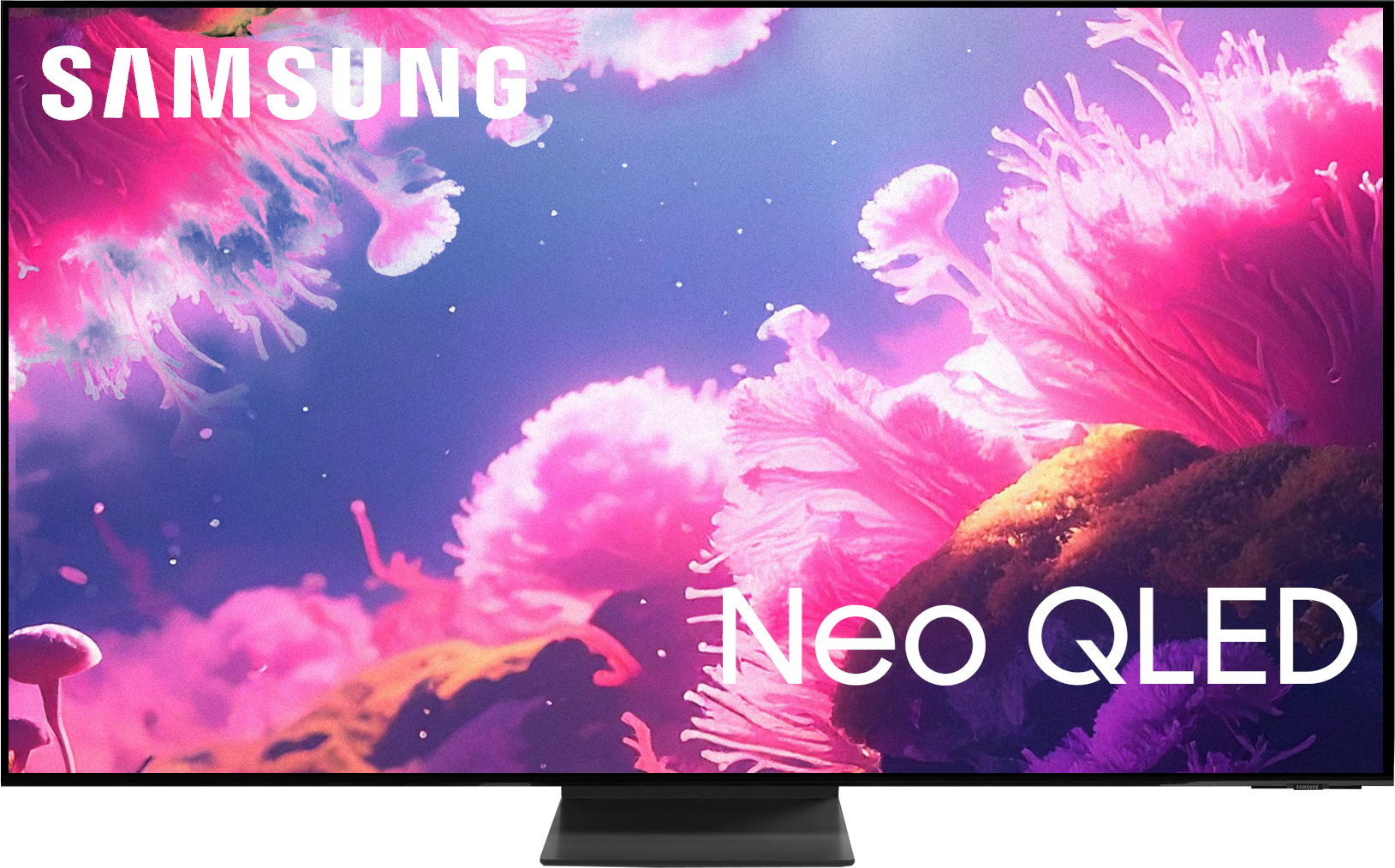
Samsung 75" QN70F – 4K Neo QLED TV 1 999,00
Samsung QN70F on Samsungin Neo QLED-televisio. Mini-LED-taustavalo Edge LED -tekniikalla, 144 Hz paneeli sulavaan liiketoistoon, tuki uusimmille pelitekniikoille ja päivitetty Tizen Smart TV 2025
Tämä malli tilattu 75" Black fridaynä, ei mitään huonoa sanottavaa paitsi kapulan olematon koko, muuten tosi helppo käyttöinen.
Harkitsin myös OLED paneelilla olevaa LG töllöä, mutta tuo kuvan kiinni palaminen alkoi sen verta pelottamaan että jäi nyt kaupan hyllylle.
Mitään en televisioista oikeastaan ymmärrä, kun vanha oli ihan normaali LED 65" Smartti telkku mutta ainakin kuvan kirkkaudessa QLedi päihittää, ja oikeastaan ainut miksi päivitin television niin halusin paremman kuin 60hz paneelin.
EDIT: Itseasiassa nyt kun kuittia katsoin niin, ostin tämän ennen bf tarjouksia 1199€ hintaan, huomasin sitten black fridayn aikaan että onkin 1099€, niin verkkokauppa hyvitti 100€ laskusta kun tarpeeksi kauan vinkui chatti palvelussa.

Täällä on myynnissä Panasonicin 24" tv:ita, seuraava koko 32". Minua kiinnostaisi 26" - 30" Panasonicin tv mutta taitaa olla tyytyminen 24 tuumaiseen kun noita isompia kokoja ei ilmeisesti valmisteta.
Viimeksi muokattu:
Samsungin typerin ominaisuus tuo kapula. Helpoiten korjattavissa ostamalla tarvike kake esim. one for all. Näissä on vielä telkkarin valikoissa mahdollisuus säätää sitä kaken ''herkkyyttä'' reakoida nappien painalluksiin ja sitä myötä käyttömukavuus kasvaa.Samsung 75" QN70F – 4K Neo QLED TV 1 999,00
Samsung QN70F on Samsungin Neo QLED-televisio. Mini-LED-taustavalo Edge LED -tekniikalla, 144 Hz paneeli sulavaan liiketoistoon, tuki uusimmille pelitekniikoille ja päivitetty Tizen Smart TV 2025
Tämä malli tilattu 75" Black fridaynä, ei mitään huonoa sanottavaa paitsi kapulan olematon koko, muuten tosi helppo käyttöinen.
Onko tämä mistään kotoisin tuohon tonnin pintaan? Samsung 75" QN80F – 4K Neo QLED TV 2 399,00
Olisi useampi kappale outletissa tonnilla.
Käyttö lähinnä tv/suoratoisto/vähäinen konsolipelaaminen.
Haussa siis 75-77"
Olisi useampi kappale outletissa tonnilla.
Käyttö lähinnä tv/suoratoisto/vähäinen konsolipelaaminen.
Haussa siis 75-77"
C8K tilattu. Nyt katsellaan että miloin se kotiovelle saapuu. Verkikseen kun menin sitä ostattelemaan niin myyjä yritti jostain syystä myydä jotain muuta. Ilmeisesti siksi että sanoin vanhan olleen Sony. Alkoi heti selittää että ei ole laatu samalla tasolla Sonyn kanssa ja että "itse en kyllä TCL ostaisi". Eikä ilmeisesti ollut mallillakaan väliä, koska kuuli sen monta kertaa väärin. Eli hän ei ainakaan ollut innokas TCL telkkareita myymään.Kyllähän tuo C8K vaikuttaa varsin hyvältä valinnalta tällaiseen lapiperheen arkeen jossa pimeässä elokuvien katsominen rauhassa on todella harvinaista. Hintakin näyttää olevan halvimmillaan ikinä joten pitänee käydä se Verkkiksestä tilaamassa. Toimitusaika näyttää olevan hieman arvailussa, joten pitää samaan syssyyn koittaa neuvotella kimppadiili tuollaisesta 55" televisiosta ja ehkäpä myös jostain halvasta soundbarista.
Powerin outlettiakin koitin selailla, mutta se on ilmeisesti sitten ihan tuurista kiinni että osuuko paikalle silloin kun siellä on jotain kiinnostavaa, koska nyt näytti että tilaamaan ei ainakaan pystynyt mitään televisio tarjonnasta.
Kiitos kovasti ohjauksesta!
Samalla ostettiin Procasterin 43" tuumainen väliaikainen televisio. Koko tipahti 55"->43" koska käytiin vanhaa 55" kokoista sovittelemassa lasten huoneisiin ja kyllä se siellä aika isolta näytti. Jos laittaisi seinälle ja hieman ylemmäs niin ehkä menisi, mutta koska lapset, ja vaimo, oli sitä mieltä että liian iso niin minkäs teet.
Itse töllö vaikuttaa ihan hintansa väärtiltä. Onhan se halvan tuntuinen ja hieman paksukin, eli "vanhahtava", mutta vaikuttaa toimivan ja mielestäni ihan kohtuullinen kuvakin (hinta huomioiden) kaapelin kanaville. Kanavien vaihdossa on reilun sekunnin viive ja ainakin eilen Elisa viihteen kautta toistettu Netflix sarja särki ääntä. Sama sarja toistettuna suoraan töllön netflixistä ei särkenyt. Pitää vielä kokeilla toisen HDMI portin kautta. Nyt käytössä 1 portti.
2 portissa näytti olevan eARC tuki.
Sanoisin että on huomattavasti parempi diili kuin tuo aiempi qn70F - on kuitenkin aito miniled. Paitti et miksihän on monta outletissa, oisko noissa jotakin ongelmaa ollu kuvassa ja siksi palautettuOnko tämä mistään kotoisin tuohon tonnin pintaan? Samsung 75" QN80F – 4K Neo QLED TV 2 399,00
Olisi useampi kappale outletissa tonnilla.
Käyttö lähinnä tv/suoratoisto/vähäinen konsolipelaaminen.
Haussa siis 75-77"

Edit: siellähän niissä luki aikas monessa et korjattu ja tarkastettu. Kaippa tommosen uskaltaa ostaa ja saahan sen kait palauttaa jos ei olekkaan ok.
Edit2: mikään huipputöllö tämäkään ei ole, mutta tuskin tolla hintaa semmosta kukaan olettikaan. Rting näköjään testannu 100" version: Samsung 100QN80F Review (QN100QN80FFXZA)
Viimeksi muokattu:

- Liittynyt
- 24.02.2017
- Viestejä
- 5 282
Tuolla revikka tuosta ko. telsusta.Onko tämä mistään kotoisin tuohon tonnin pintaan? Samsung 75" QN80F – 4K Neo QLED TV 2 399,00
Olisi useampi kappale outletissa tonnilla.
Käyttö lähinnä tv/suoratoisto/vähäinen konsolipelaaminen.
Haussa siis 75-77"
Samsung QN80F (2025) TEST: najlepszy Mini LED Samsunga dla większości? 144 Hz, 4x HDMI 2.1, matryca VA
Po ostatnich, euforycznych zachwytach nad potężnym i co by nie mówić dość drogim QN92F, czas na mały "reality check". Na nasz redakcyjny stół operacyjny wjeżdża model QN80F. To telewizor, który ma chyba najtrudniejsze zadanie w całym portfolio Koreańczyków. Dlaczego? Bo musi udowodnić, że...
Viimeksi muokattu:
Uutta GTV14 päivitystä pukkaa alla listattuihin TCL-töllöttimiin. Siinä on ilmeisesti saatu korjattua edellisen version V590 ongelmia ja muutaman käyttäjän kommenttien perusteella ovat olleet erittäin tyytyväisiä tähän päivitykseen. Eli tämä on varmaankin lähinnä tuon V590:n bugikorjauspäivitys, jossa oli myös jo mm. uusi toiminto "Super Resolution" kuva-asetuksissa, joka keinotekoisesti selkeyttää ja terävöittää kuvaa.
Tuikkasin itse tämän eilen omaan C845X2:een ja kaikki on toiminut ensi havaintojeni perusteella kuten pitääkin. Tuo Super Resolution on ainakin minun silmääni varsin hyvin toimiva eikä mielestäni ole mitenkään yliprosessoiva.
-----------------------
New TCL T653T01 platform Google TV Update available in V613
TV models ....
X11K/ C9K/ C8K/ C7K/ C6K/ P8K/ T8C
98C655/ 85C655Pro/ 98P745/ 98P755
C745X2/ C755/ C765/ C805/ C845X2/ C855
C955/ X955
V8-0012T01-LF1V613.002917
V613 OTA
LINK
build date= Jan 04, 2026
security_patch= 2025-12-05
TCL 2024 Google TVs (P655/P755/C655/C655 PRO/C765/T8B/C855/115X955)
Tuikkasin itse tämän eilen omaan C845X2:een ja kaikki on toiminut ensi havaintojeni perusteella kuten pitääkin. Tuo Super Resolution on ainakin minun silmääni varsin hyvin toimiva eikä mielestäni ole mitenkään yliprosessoiva.
-----------------------
New TCL T653T01 platform Google TV Update available in V613
TV models ....
X11K/ C9K/ C8K/ C7K/ C6K/ P8K/ T8C
98C655/ 85C655Pro/ 98P745/ 98P755
C745X2/ C755/ C765/ C805/ C845X2/ C855
C955/ X955
V8-0012T01-LF1V613.002917
V613 OTA
LINK
build date= Jan 04, 2026
security_patch= 2025-12-05
TCL 2024 Google TVs (P655/P755/C655/C655 PRO/C765/T8B/C855/115X955)
Tuleeko edellisen vuoden mallit yleensä poistotarjoukseen joskus keväämmällä? Tilasin jo Verkkokaupasta TCL 65" C7K, kun se oli tarjouksessa. Jos 75" versio olisi ollut tarjouksessa, niin olisin ehkä ottanut sen ennemmin. Rupesin miettimään, että peruisiko tuon 65" tilauksen ja odottaisiko 75" hinnan laskua.
- Liittynyt
- 29.10.2024
- Viestejä
- 39
85" versio 1.699,00 eur. Liian kallis vai liian iso?Tuleeko edellisen vuoden mallit yleensä poistotarjoukseen joskus keväämmällä? Tilasin jo Verkkokaupasta TCL 65" C7K, kun se oli tarjouksessa. Jos 75" versio olisi ollut tarjouksessa, niin olisin ehkä ottanut sen ennemmin. Rupesin miettimään, että peruisiko tuon 65" tilauksen ja odottaisiko 75" hinnan laskua.
 Tuon ostaisin heti jos vaimo vaan antais luvan
Samasta syystä se ei ole vaihtoehto85" versio 1.699,00 eur. Liian kallis vai liian iso?

- Liittynyt
- 06.01.2022
- Viestejä
- 2 858
85" versio 1.699,00 eur. Liian kallis vai liian iso?
Jälkiikäteen on aina helpompi lepytellä. Plus hän tottuu siihen ja hetken kuluttua on ihan in.
- Liittynyt
- 24.02.2017
- Viestejä
- 5 282
On C6K ja C7K väliin menevä malli eli hieman steroidilla pumpattu C6K.Missä kohtaa tuo TCL 765 mahtaa seisoa valmistajan mallihierarkiassa. Onko kyseessä vastaava tv kuin C7K vai jokin muu? Sormi olisi vähän liipasimella tuon 85" kokoisen suhteen jos vain löytäisi jostain järkevää tietoa mallista.
Osaatko kertoa mistä pääsisi tarkastamaan vaikka mallien specsheetiä tai muuten avata hieman missä kohtaa nuo eroavaisuudet tulevat ilmi. Etenkin dimming zoneiden määrä mietityttää.On C6K ja C7K väliin menevä malli eli hieman steroidilla pumpattu C6K.
Tuolta:Osaatko kertoa mistä pääsisi tarkastamaan vaikka mallien specsheetiä tai muuten avata hieman missä kohtaa nuo eroavaisuudet tulevat ilmi. Etenkin dimming zoneiden määrä mietityttää.
TCL C765 miniLED QLED LCD specifications - TV Database - FlatpanelsHD
TCL C765 miniLED QLED LCD specifications - TV database - FlatpanelsHD
 www.flatpanelshd.com
TCL C7K QD-miniLED LCD specifications - TV Database - FlatpanelsHD
TCL C7K miniLED QLED LCD specifications - TV database - FlatpanelsHD
 www.flatpanelshd.com
Nopeasti katsottuna erot olennaisilta osin siis:
Filmmaker moden ja Anti-reflective filter (Ultra) puuttuminen.
Dimming zonet 1536 vs 1568 (Precise Dimming)
Motion Accelerator 240 vs Motion Accelerator 288
Kirkkaus 2400 nits vs 3000
Hintaero tällä hetkellä 85" koossa 300 euroa. Noh, ehkä odottellaan siis vielä jos C7K hinta tippuisi tuohon kipurajan alapuolelle.
Filmmaker moden ja Anti-reflective filter (Ultra) puuttuminen.
Dimming zonet 1536 vs 1568 (Precise Dimming)
Motion Accelerator 240 vs Motion Accelerator 288
Kirkkaus 2400 nits vs 3000
Hintaero tällä hetkellä 85" koossa 300 euroa. Noh, ehkä odottellaan siis vielä jos C7K hinta tippuisi tuohon kipurajan alapuolelle.
- Liittynyt
- 24.02.2017
- Viestejä
- 5 282
V590 firmis päivitys tuo Filmaker moden tuohon C765.Nopeasti katsottuna erot olennaisilta osin siis:
Filmmaker moden ja Anti-reflective filter (Ultra) puuttuminen.
Dimming zonet 1536 vs 1568 (Precise Dimming)
Motion Accelerator 240 vs Motion Accelerator 288
Kirkkaus 2400 nits vs 3000
Hintaero tällä hetkellä 85" koossa 300 euroa. Noh, ehkä odottellaan siis vielä jos C7K hinta tippuisi tuohon kipurajan alapuolelle.
- Liittynyt
- 24.02.2017
- Viestejä
- 5 282
Tuolla kaikkea mitä V590 firmis tuo tullessaan.Osaatko kertoa mistä pääsisi tarkastamaan vaikka mallien specsheetiä tai muuten avata hieman missä kohtaa nuo eroavaisuudet tulevat ilmi. Etenkin dimming zoneiden määrä mietityttää.
Android 14 for TV is designed to offer a smoother experience thanks to several major improvements over Android 12.
Performance and efficiency: Android 14 reduces boot time to as little as 4 seconds and optimizes background task management for smoother multitasking.
Power modes: It introduces precise power settings—Low, Optimized, and Increased—to manage standby power consumption (target: less than 2W).
User interface: The user interface now supports native 4K icons and improved Material Design elements for a sharper look.
Accessibility: New system-wide color correction, bold text options, and improved navigation for users with visual or motor impairments.
Multitasking: Expanded Picture-in-Picture (PiP) support for non-media applications, such as smart home camera feeds.
Firmware 590 New Features:
Android 14 OS: Latest system version for future compatibility and enhanced security.
Super Resolution: An upscaling feature accessible via Image -> Clarity that significantly improves lower-resolution content (720p/1080p).
Auto HDR Conversion: Improved handling of SDR content for a more vibrant image.
4K UI Elements: System menus and icons now display in 4K resolution.
Black Bar Fix: On select models, the issue of "gray" bars in Dolby Vision content has been resolved to display true black.
Differences for users:
User interface fluidity: Users report that menu navigation is significantly smoother and more responsive.
Image sharpness: The addition of Super Resolution and "Auto HDR Upscaling" is a major plus for many, as it allows for much sharper, lower-quality content.
HDMI CEC frustration: Much of the discussion concerns users experiencing issues with soundbars and connected devices not turning off when the TV goes into standby mode.
The "Power Off" button: Android 14 changed the default "Restart" function of the power button (long press), causing confusion for users wanting to turn off their TV.
Issues:
HDMI CEC/Standby: The TV fails to turn off connected amplifiers/soundbars; they only mute.
Audio output reset: After the update, the audio is often set to PCM by default, which disrupts Atmos/5.1 playback.
Loss of Dolby Atmos: Some users have completely lost Atmos sound or seen icons disappear in apps like Netflix or Prime.
Excessive bass (C7K): The TV speakers become extremely bass-heavy upon startup.
Screen flicker: Random flickering has been reported, especially when connected to a PC.
Refresh rate limitation: PC users have reported being limited to 60Hz or 144Hz when they previously had a 240Hz refresh rate.
SmartTubeNext issues: The app is not working correctly or has audio crackling.
Prime Video 5.1 issue: After updating, the app only plays stereo sound.
AirPlay issues: Black screen when attempting to use AirPlay.
Local dimming issues: Reports of overexposed areas or washed-out images.
Auto-start apps: The option to disable auto-start apps has been removed.
Installation errors: Some USB 3.0 devices fail to trigger the update.
Random restarts: A few users have experienced stability issues resulting in unexpected shutdowns.
Multiview 2.0 support has been removed.
Solutions:
Audio Correction: Manually switch the audio setting to "Pass-through" or "Auto" to restore Atmos/5.1.
CEC/Power Solution 1: In power-saving mode, the "High" setting keeps the device constantly powered on. Select a different power mode.
CEC/Power Solution 2: Some users recommend performing a factory reset on external devices (such as streaming boxes) rather than the TV.
Error Code 6425: Use the hidden menu (Picture -> Contrast -> 6425) to re-enable the "Off" option.
USB Installation: If the update fails, use a USB 2.0 flash drive and ensure the file is renamed from .jar to .zip.
C7K Bass Fix: Enabling and then disabling any audio frequency setting resets the bass until the next reboot.
PC Screen Flicker: Reinstall the drivers or use the CRU (Custom Resolution Utility) tool to reset the HDMI 2.1 settings.
Warning! High Risk!
***Danger***
To restore the "Power Off" option on your TCL C845x2 after updating to Android 14, you need to access a hidden service menu using code 6425. In Android 14, long-pressing the power button is associated with the "Restart" option by default, but the power off function can be manually re-enabled.
Step-by-Step Instructions
: Change Input: Switch the TV to a live source, such as HDMI or Live TV (the menu may not display correctly on the Google TV home screen).
Access Contrast: * Press the Settings button on your remote.
Go to Picture > Advanced Settings > Brightness.
Select the Contrast slider, but do not click it.
Enter the code: * If your remote does not have physical numeric keys, first press the 123 key (virtual keypad) on your remote.
Enter the code 6425.
Enable Shutdown:
A hidden service menu will appear on the screen.
Look for the option labeled Shutdown Setup (or a similar "Shutdown" setting).
Change the setting to ON.
Exit: Press the Back or Home button to exit the menu.
Once enabled, a long press of the power button on your remote should again allow you to completely turn off the TV rather than just restart it.
[!WARNING] Use with caution: Menu 6425 is a technical service menu. Do not change any settings other than "Shutdown Setup," as incorrect settings in this menu may cause display problems or system instability.
Update Details: New
TCL T653T01 platform, Google TV update available for V590 TV models. ... X11K/ C9K/ C8K/ C7K/ C6K/ P8K/ T8C 98C655/ 85C655Pro/ 98P745/ 98P755 C745X2/ C755/ C765/ C805/ C845X2/ C855 C955/ X955 V8-0012T01-LF1V590.002719 V590 OTA Build Date: November 14, 2025 Security Patch: 05/09/2025 Android 14
Performance and efficiency: Android 14 reduces boot time to as little as 4 seconds and optimizes background task management for smoother multitasking.
Power modes: It introduces precise power settings—Low, Optimized, and Increased—to manage standby power consumption (target: less than 2W).
User interface: The user interface now supports native 4K icons and improved Material Design elements for a sharper look.
Accessibility: New system-wide color correction, bold text options, and improved navigation for users with visual or motor impairments.
Multitasking: Expanded Picture-in-Picture (PiP) support for non-media applications, such as smart home camera feeds.
Firmware 590 New Features:
Android 14 OS: Latest system version for future compatibility and enhanced security.
Super Resolution: An upscaling feature accessible via Image -> Clarity that significantly improves lower-resolution content (720p/1080p).
Auto HDR Conversion: Improved handling of SDR content for a more vibrant image.
4K UI Elements: System menus and icons now display in 4K resolution.
Black Bar Fix: On select models, the issue of "gray" bars in Dolby Vision content has been resolved to display true black.
Differences for users:
User interface fluidity: Users report that menu navigation is significantly smoother and more responsive.
Image sharpness: The addition of Super Resolution and "Auto HDR Upscaling" is a major plus for many, as it allows for much sharper, lower-quality content.
HDMI CEC frustration: Much of the discussion concerns users experiencing issues with soundbars and connected devices not turning off when the TV goes into standby mode.
The "Power Off" button: Android 14 changed the default "Restart" function of the power button (long press), causing confusion for users wanting to turn off their TV.
Issues:
HDMI CEC/Standby: The TV fails to turn off connected amplifiers/soundbars; they only mute.
Audio output reset: After the update, the audio is often set to PCM by default, which disrupts Atmos/5.1 playback.
Loss of Dolby Atmos: Some users have completely lost Atmos sound or seen icons disappear in apps like Netflix or Prime.
Excessive bass (C7K): The TV speakers become extremely bass-heavy upon startup.
Screen flicker: Random flickering has been reported, especially when connected to a PC.
Refresh rate limitation: PC users have reported being limited to 60Hz or 144Hz when they previously had a 240Hz refresh rate.
SmartTubeNext issues: The app is not working correctly or has audio crackling.
Prime Video 5.1 issue: After updating, the app only plays stereo sound.
AirPlay issues: Black screen when attempting to use AirPlay.
Local dimming issues: Reports of overexposed areas or washed-out images.
Auto-start apps: The option to disable auto-start apps has been removed.
Installation errors: Some USB 3.0 devices fail to trigger the update.
Random restarts: A few users have experienced stability issues resulting in unexpected shutdowns.
Multiview 2.0 support has been removed.
Solutions:
Audio Correction: Manually switch the audio setting to "Pass-through" or "Auto" to restore Atmos/5.1.
CEC/Power Solution 1: In power-saving mode, the "High" setting keeps the device constantly powered on. Select a different power mode.
CEC/Power Solution 2: Some users recommend performing a factory reset on external devices (such as streaming boxes) rather than the TV.
Error Code 6425: Use the hidden menu (Picture -> Contrast -> 6425) to re-enable the "Off" option.
USB Installation: If the update fails, use a USB 2.0 flash drive and ensure the file is renamed from .jar to .zip.
C7K Bass Fix: Enabling and then disabling any audio frequency setting resets the bass until the next reboot.
PC Screen Flicker: Reinstall the drivers or use the CRU (Custom Resolution Utility) tool to reset the HDMI 2.1 settings.
Warning! High Risk!
***Danger***
To restore the "Power Off" option on your TCL C845x2 after updating to Android 14, you need to access a hidden service menu using code 6425. In Android 14, long-pressing the power button is associated with the "Restart" option by default, but the power off function can be manually re-enabled.
Step-by-Step Instructions
: Change Input: Switch the TV to a live source, such as HDMI or Live TV (the menu may not display correctly on the Google TV home screen).
Access Contrast: * Press the Settings button on your remote.
Go to Picture > Advanced Settings > Brightness.
Select the Contrast slider, but do not click it.
Enter the code: * If your remote does not have physical numeric keys, first press the 123 key (virtual keypad) on your remote.
Enter the code 6425.
Enable Shutdown:
A hidden service menu will appear on the screen.
Look for the option labeled Shutdown Setup (or a similar "Shutdown" setting).
Change the setting to ON.
Exit: Press the Back or Home button to exit the menu.
Once enabled, a long press of the power button on your remote should again allow you to completely turn off the TV rather than just restart it.
[!WARNING] Use with caution: Menu 6425 is a technical service menu. Do not change any settings other than "Shutdown Setup," as incorrect settings in this menu may cause display problems or system instability.
Update Details: New
TCL T653T01 platform, Google TV update available for V590 TV models. ... X11K/ C9K/ C8K/ C7K/ C6K/ P8K/ T8C 98C655/ 85C655Pro/ 98P745/ 98P755 C745X2/ C755/ C765/ C805/ C845X2/ C855 C955/ X955 V8-0012T01-LF1V590.002719 V590 OTA Build Date: November 14, 2025 Security Patch: 05/09/2025 Android 14
- Liittynyt
- 30.01.2026
- Viestejä
- 5
Osaako raati sanoa Hisense E8Q teeveestä mitään? Houkutteleva outlethinta. Vaihtoehtona tuo C6K.
Uutiset
-
Renderöintivuodoissa Samsungin tulevat Galaxy Glasses -älylasit
30.4.2026 22:16
-
Motorola julkaisi lisää moto g -puhelimia – moto g87:ssä 200 megapikselin pääkamera
30.4.2026 19:07
-
Windows Central sai tietoja Microsoftin Windows K2 -projektista
30.4.2026 11:13
-
Motorola julkaisi uuden edge 70 pron neljänä PANTONE-versiona eri materiaalein
30.4.2026 01:34
-
Motorola julkaisi razr 70 -malliston – ultra-mallissa LOFIC-pääkamera
30.4.2026 00:42
Uusimmat viestit
-
-
-
Hiljainen, energiatehokas ja pieni pelitietokone valmiiksi koottuna?
- Viimeisin: Tigerman82
-

